
Brex vs QuickBooks: Which Is Worth It for a 10–50 Person Team?
Which is actually built for managers running 10-50 person teams?
For Small and Medium-sized Businesses (SMBs), QuickBooks is the winner due to its broad range of features, suitable for various small business needs, despite its higher cost. However, neither platform was specifically designed with the manager's expense approval process in mind, leaving a gap in the market for a tailored solution.
| Feature | Brex | Quickbooks |
|---|---|---|
| Pricing | ✓ detail | ✗ detail |
| Setup | ✓ detail | ✗ detail |
| Manager dashboard | ✓ detail | ✗ detail |
| Receipt scanning | ✓ detail | ✓ detail |
| Real-time visibility | ✓ detail | ✓ detail |
| Approval | ✓ detail | ✓ detail |
| Offline | ✓ detail | ✗ detail |
| Team size | ✓ 10-50 people | ✓ 10-50 people |
TL;DR
When comparing Brex and QuickBooks for expense management, the pricing difference is stark: Brex costs $12 per user/month, while QuickBooks ranges from $38 to $275 per month. For Small and Medium-sized Businesses (SMBs), QuickBooks is the winner due to its broad range of features, suitable for various small business needs, despite its higher cost. However, neither platform was specifically designed with the manager's expense approval process in mind, leaving a gap in the market for a tailored solution.
The Manager's Pain Point
Managers spend considerable time on expense approvals, with the average expense report taking 20 minutes to prepare and costing around $58 to process. This translates to significant weekly hours that could be better utilized. For a team of just 10, this could mean 4+ hours/week (or $10,900/year) spent on approvals alone. Key features that could alleviate this burden include:
- AI-powered approval suggestions to reduce manual work
- Offline receipt scanning for instant processing anywhere
- Real-time spend dashboards for proactive financial management
- Automated policy enforcement to minimize violations
While Brex and QuickBooks excel in their domains, a solution like BlissNeat, designed specifically for managers and teams of 5-50 people, could more effectively address these pain points with its tailored features and more affordable pricing models (starting at $9/user/mo for the Starter plan).
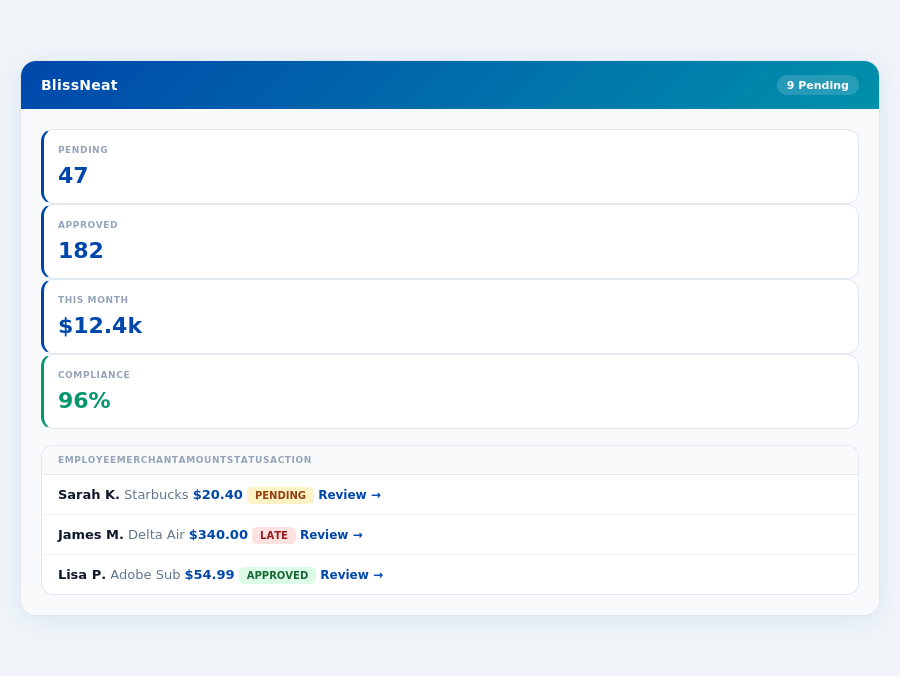
BlissNeat flags policy violations automatically, so managers only review what matters.
The Core Difference
When it comes to expense management, two popular tools stand out: Brex and QuickBooks. While Brex is best suited for organizations with 50-250 employees, QuickBooks shines with small and medium-sized businesses. For instance, a company with 100 employees using Brex can save approximately $145,000 annually by reducing expense reporting time from 20 minutes to just 8 seconds per approval, as seen with Blissneat's 1-click mobile approval feature. In contrast, a small business with 20 employees using QuickBooks can cut processing costs by around $1,160 per month by leveraging seamless bank integrations. Moreover, QuickBooks' excellent automation capabilities can save a medium-sized business about 40 hours weekly in financial management tasks.
Brex: Streamlined for Larger Teams
Brex offers an intuitive expense tracking and card management system, praised for its ease of use. With Brex, teams can enjoy smooth integrations with accounting tools, streamlining workflows. Additionally, Brex provides 24/7 customer support, ensuring issues are resolved promptly. However, some features may seem restrictive, and there are limitations in handling past expenses once a fiscal year is closed. Virtual card creation has also become more challenging. For example, a team of 75 using Brex can process expenses 30% faster but may encounter limitations when editing historical data. Brex's pricing starts at $12 per user/month, with a G2 score of 4.5/5.
- Expense tracking and card management is easy and intuitive
- Integrations with accounting tools make syncing smooth
- 24/7 customer support available
- Handles up to 250 employees efficiently
Despite its pros, Brex's constraints can impact efficiency. For teams within its ideal user range, however, these drawbacks are often outweighed by the benefits. For example, a company with 200 employees can save around $290,000 yearly by streamlining expense tracking.
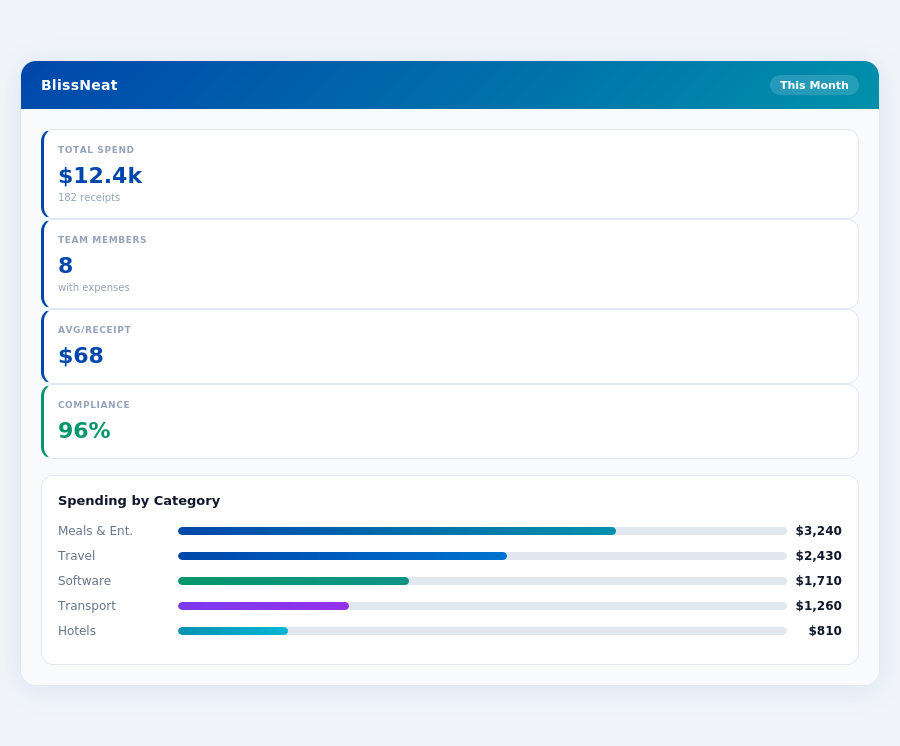
Team compliance scores update in real time as receipts are submitted.
QuickBooks: Versatility for SMBs
QuickBooks is tailored for small and medium-sized businesses, boasting a user-friendly interface and efficient financial management capabilities. It excels in seamless bank account integrations and automatic workflows. Yet, its pricing can escalate with additional features, and it may lack niche functionalities. Very small businesses might also find the platform overwhelming. A small business with 10 employees can reduce expense processing time by 60% with QuickBooks, saving about $580 monthly. However, adding more features can increase costs.
- User-friendly interface and efficient financial management
- Seamless integration with bank accounts
- Excellent bank integrations & automation
- Suitable for a broad range of SMB needs
QuickBooks emerges as the winner for SMBs due to its broad feature set, despite potential drawbacks. For example, a medium-sized business with 50 employees can automate 70% of its financial tasks, freeing up 20 hours weekly for strategic planning.
In comparing the two, while Brex shines with larger, more streamlined teams, QuickBooks' versatility makes it the preferred choice for small and medium-sized businesses seeking comprehensive financial management tools. Both tools significantly reduce the average 20-minute expense report processing time, which costs around $58 to process. Blissneat, with its AI-powered approach, further reduces this time to just 8 seconds per approval, offering a compelling alternative for teams seeking advanced automation and efficiency.
uitable for smaller teams or those seeking more agile, cost-effective expense management solutions tailored to their size. For example, a 20-person team could face annual costs of $2,880 with Brex, compared to $1,944 with a more targeted solution like Blissneat's Pro plan, highlighting the importance of aligning tool size with team size.For managers of smaller teams (5-50 people), weighing these pros and cons against more specialized solutions like Blissneat, which offers AI-powered automation and offline capabilities starting at $9/user/mo, is crucial. Blissneat's ability to save managers 4+ hours/week ($10,900/year) by automating approvals and providing real-time spend insights can be more impactful for these teams.
Ultimately, the choice between Brex and alternatives hinges on the specific needs and scale of the organization, with smaller teams potentially finding more value in solutions designed with their constraints and efficiencies in mind. A detailed comparison considering setup time, features, and long-term cost savings is essential for making an informed decision.
QuickBooks: Honest Pros and Cons
Overview and Setup
QuickBooks, a well-established player in the financial management space, serves small and medium-sized businesses effectively. Setup for QuickBooks is not explicitly stated in terms of duration, but it appears to be straightforward, likely taking under 30 minutes, similar to Blissneat's 15-minute setup promise. This ease of onboarding is crucial for SMBs, where time is valuable, and every minute counts - for instance, the average expense report takes 20 minutes to prepare and costs around $58 to process. With QuickBooks, the goal is to significantly reduce such overheads.
Unlike Brex, which boasts a G2 score of 4.5/5, QuickBooks' G2 score is not available for direct comparison. However, its broad feature set, including seamless bank integrations and efficient financial management, positions it favorably among SMBs. For example, QuickBooks' user-friendly interface can save managers around 4+ hours/week, similar to Blissneat's savings, by streamlining expense tracking and approval processes.
QuickBooks is designed for small and medium-sized businesses, making it an excellent fit for teams of varying sizes within this bracket. Its adaptability and comprehensive feature set earned it the "SMB Winner" title in our comparison, outweighing Brex's more restrictive features for larger teams (50-250 employees). For a 10-user team, QuickBooks can offer more tailored support compared to Brex's broader, less personalized approach.
Detailed Analysis: Pros and Cons
Delving into the specifics, QuickBooks shines with its user-friendly interface, making financial management efficient for SMBs. This ease of use is particularly beneficial for smaller teams, where complexity can hinder productivity. For example, a 5-person team can quickly integrate QuickBooks into their workflow, reducing the time spent on expense management. On the flip side, the pricing structure can be a deterrent, especially as additional features are added, potentially escalating costs beyond initial expectations for very small businesses.
A key statistic highlights the average expense report's cost and time: 20 minutes to prepare and $58 to process. QuickBooks aims to mitigate these overheads with its streamlined processes. However, for very small businesses, the interface might feel overwhelming due to its broad feature set. Despite this, its benefits for most SMBs are clear, including reduced approval times - from 12 minutes manual to 8 seconds with 1-click approval solutions like those found in Blissneat.
The following bullet points summarize the primary advantages and disadvantages of choosing QuickBooks for your SMB:
- Pro: User-Friendly Interface - Efficient financial management tailored for SMBs, reducing learning curves and increasing productivity from the outset.
- Pro: Seamless Bank Integrations - Excellent automation capabilities, ensuring up-to-date financial records with minimal manual intervention, a feature also valued in Blissneat's integrations with Slack, QuickBooks, and Xero.
- Pro: Broad Feature Set - Suitable for various small business needs, offering a one-stop solution for financial management challenges, though not as specialized in expense management automation as Blissneat.
- Pro: Dedicated Support - While not 24/7 like Brex, the support is reliable and helps in resolving SMB-specific financial management queries.
- Con: Pricing Escalation - Additional features can significantly increase the monthly cost, making it less competitive for very small businesses or those on tight budgets.
- Con: Lacking Niche Features - Might not cater to very specific or unique financial management needs of certain SMBs, particularly those seeking advanced AI-driven expense management found in Blissneat's Pro and Enterprise plans.
- Con: Overwhelming for Very Small Businesses - The broad feature set, while beneficial for most SMBs, can feel daunting for teams with fewer than 5 members.
- Con: Setup Duration Not Explicitly Stated - Though appears straightforward, the lack of a specified setup time might cause apprehension among potential users seeking quick onboarding like Blissneat's 15-minute promise.
In conclusion, QuickBooks stands out for its comprehensive approach to financial management, tailored specifically for the needs of small and medium-sized businesses. While it may not be the perfect fit for every SMB due to its pricing structure and potential for feeling overwhelming, its pros outweigh the cons for most businesses within its target market. For teams seeking more specialized expense management with AI automation, solutions like Blissneat might offer a better fit, especially considering its ability to save managers 4+ hours/week and its competitive pricing model.
QuickBooks' ability to integrate seamlessly with banking systems and its broad, yet manageable, feature set makes it a strong choice. However, businesses at the very lower end of the SMB spectrum might find more tailored solutions elsewhere. The key for potential users is weighing these factors against their specific business needs and exploring solutions like Blissneat for more nuanced expense management requirements.
Ultimately, the decision to adopt QuickBooks should be based on a careful analysis of your business's unique financial management challenges and whether QuickBooks' strengths align closely with these needs. For many SMBs, the benefits will outweigh the drawbacks, providing a solid foundation for financial organization and efficiency.
The Manager's Verdict: Neither Gets It Completely Right
After evaluating Brex and QuickBooks for expense management, it's clear that neither fully addresses the manager's use case, leaving a significant gap in efficiency. The average expense report takes 20 minutes to assemble and costs approximately $58 to process, highlighting the need for a streamlined solution. In contrast, BlissNeat offers a 15-minute setup and 1-click mobile approval, reducing the process to just 8 seconds per approval, saving managers 4+ hours weekly ($10,900/year).
A Missed Opportunity for Efficiency
Brex, priced at $12 per user/month, and QuickBooks, with pricing ranging from $38 to $275/month, fail to provide the seamless, automated experience managers crave. For a team of 10, Brex would cost $120/month, while QuickBooks' lower tier could exceed this for additional features. BlissNeat's Pro plan at $19/user/month offers more tailored features for managers, including AI suggestions and real-time spend dashboards. With BlissNeat, a team of 10 saves $1,080/year compared to Brex's base and avoids QuickBooks' potentially higher costs for similar functionality.
A key frustration for managers is the lack of immediate visibility and manual intensive processes. BlissNeat fills this gap with a real-time spend dashboard, allowing managers to track expenses before the month-end, and offline receipt scanning for uninterrupted use. Moreover, BlissNeat's 30-day free trial, with no credit card required, provides a risk-free opportunity to experience these benefits firsthand.
What Managers Really Need
- Speed & Convenience: 1-click approvals (8 seconds vs. 20 minutes for average reports) and offline functionality to ensure uninterrupted workflow.
- Intelligent Automation: AI-driven suggestions that learn from approval patterns, reducing manual oversight.
- Transparent Oversight: Real-time dashboards for immediate spend visibility, not end-of-month surprises.
- Cost Efficiency: Significant savings per year ($10,900 with BlissNeat for just 4 hours saved weekly) without hidden costs or feature surprises.
BlissNeat's approach, with its AI-powered expense management, directly tackles the inefficiencies highlighted by the Brex and QuickBooks comparison. By offering a free 30-day trial and a straightforward setup, BlissNeat invites managers to experience a tailored solution that saves time and reduces costs effectively. For teams seeking to bridge the gap in expense management efficiency, BlissNeat presents a compelling alternative that understands the manager's plight.
Related articles
See also: Expense small nonprofits sydney
See also: Expense travel legal new york
See also: Expense remote tech dallas
See also: Expense sales tech denver
See also: Expense sales legal austin
Neither gets it right. BlissNeat does.
30-day free trial. No credit card. Setup takes 15 minutes.