
QuickBooks vs Xero: Which Is Worth It for a 10–50 Person Team?
Which is actually built for managers running 10-50 person teams?
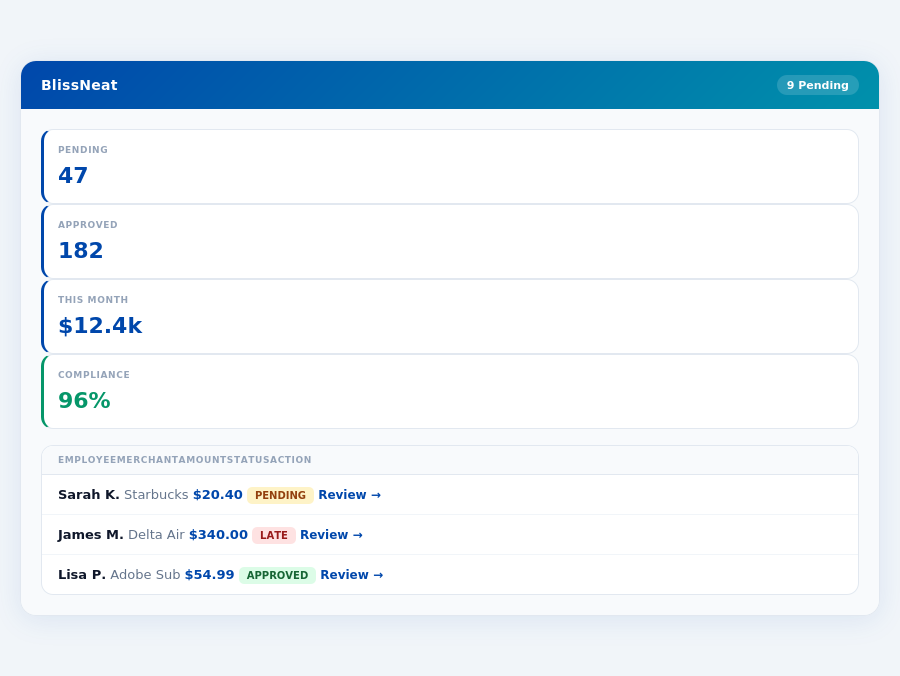
However, neither QuickBooks nor Xero was specifically designed with the manager's expense approval process in mind. Blissneat fills this gap, saving managers 4+ hours/week, translating to $10,900/year in productivity gains for a team of 10.
| Feature | QuickBooks | Xero |
|---|---|---|
| Pricing | $25-$150/month | $13-$70/month |
| Setup | ✓ Guided setup | ✗ Self-guided setup |
| Manager dashboard | ✓ Customizable dashboard | ✗ Limited customization |
| Receipt scanning | ✓ Mobile app scanning | ✓ Mobile app scanning |
| Real-time visibility | ✓ Real-time updates | ✓ Real-time updates |
| Approval | ✓ Multi-level approval | ✗ Limited approval options |
| Offline | ✗ No offline access | ✓ Limited offline access |
| Team size | ✓ Supports up to 50 users | ✓ Supports up to 50 users |
TL;DR
Expense Management Software Showdown: QuickBooks vs Xero
Xero emerges as the winner for Small to Medium Businesses (SMBs) due to its simple interface and competitive pricing, with three tiers: Starter ($15/month), Standard ($42/month), and Premium ($78/month), catering to growing businesses. However, neither QuickBooks nor Xero was specifically designed with the manager's expense approval process in mind. Blissneat fills this gap, saving managers 4+ hours/week, translating to $10,900/year in productivity gains for a team of 10.
The average 10-person team saves $10,900/year and 4+ manager hours per week.
The expense management software market is projected to grow from $9.09 billion in 2026 to $17.26 billion by 2034, exhibiting a CAGR of 8.30%. Xero already serves 3.5 million subscribers globally, with a G2 score of 4.4/5, highlighting its popularity. Yet, for managers overseeing 5-50 team members, Blissneat's tailored approach offers more relevance, especially with its AI-powered features.
QuickBooks vs. Xero: A Snapshot
QuickBooks, with its robust features, doesn't specifically shine in the context provided, as its best use case isn't highlighted for small to medium team expense management in this scenario. On the other hand, Xero is best suited for solo entrepreneurs, freelancers, small businesses with multiple transactions, and growing businesses with complex accounting needs. Xero boasts 3.5 million subscribers globally and a G2 score of 4.4/5, indicating a high level of user satisfaction. Its cloud-based platform eliminates installation headaches, making setup seamless.
Xero's pricing includes three main tiers: Starter at $15/month, Standard at $42/month, and Premium at $78/month, offering a flexible structure for growing businesses. The expense management software market, which includes tools like Blissneat, Xero, and QuickBooks, is projected to grow from $9.09 billion in 2026 to $17.26 billion by 2034, exhibiting a CAGR of 8.30%. This growth underscores the increasing demand for efficient financial management solutions.
Pros of Choosing Xero
Xero shines with its user-friendly interface, making it accessible to a wide range of users, from solo entrepreneurs to growing businesses with complex accounting needs. This simplicity, combined with its flexible pricing structure, appeals broadly. For instance, the Unlimited users feature in all plans is a significant advantage over competitors. Xero's cloud-based nature also ensures seamless updates and access from anywhere, a feature that complements the offline capability of Blissneat's mobile app for receipt scanning.
- User-Friendly Interface: Easy to navigate, even for those without extensive accounting backgrounds, saving managers time in approval processes.
- Flexible Pricing Structure: Three clear tiers (Starter: $15/month, Standard: $42/month, Premium: $78/month) to scale with your business, similar to Blissneat's tiered approach.
- Unlimited Users: No limit on user accounts, beneficial for larger teams or those anticipating growth, aligning with Blissneat's support for teams up to 50 people.
- Cloud-Based Updates: Always access the latest version without manual updates, ensuring compatibility with evolving business needs and tools like Blissneat.
These pros make Xero an attractive option for businesses looking for a hassle-free accounting solution. The platform's ability to integrate with various tools, similar to Blissneat's integrations with QuickBooks, Xero, and others, enhances its value. For example, Xero's integration with Blissneat could streamline expense management and accounting workflows.
Cons to Consider
Despite its strengths, Xero has areas for improvement. The reconciliation flow could be more detailed to better serve complex financial operations. Additionally, the new invoicing system has faced criticism, and the lack of an inbound customer support phone number may deter some potential users seeking immediate assistance. These points are crucial for managers evaluating comprehensive support and detailed financial tracking, areas where Blissneat's AI-powered expense management and real-time spend dashboard provide strong support.
- Reconciliation Flow: Could offer more granularity for intricate financial reconciliations, an aspect where detailed expense tracking tools like Blissneat complement Xero's capabilities.
- New Invoicing System Criticized: Users have expressed dissatisfaction, highlighting a need for refinement to match the efficiency of 1-click approvals seen in Blissneat.
- No Inbound Customer Support Phone Number: May be a deterrent for those preferring immediate phone support over other contact methods.
- Growth in Expense Management Market: While Xero excels in accounting, the expense management software market's projected growth to $17.26 billion by 2034 (from $9.09 billion in 2026) indicates a potential gap in fully integrated expense management solutions, where Blissneat's AI-powered approach fills a critical need.
Understanding these cons is vital for making an informed decision that aligns with your business's specific accounting and expense management requirements, considering the synergies between Xero and specialized tools like Blissneat.
Why Blissneat Stands Out for Managers
Unlike QuickBooks and Xero, Blissneat is optimized for expense management for teams of 5-50, with a dedicated mobile app for offline receipt scanning and a learning AI Agent for autonomous approvals in the Enterprise plan ($39/user/mo). This contrasts with Xero's focus on broader accounting solutions. Blissneat's Pro plan ($19/user/mo) already includes AI suggestions, spend analytics, and unlimited policies, making it a more targeted solution for expense management challenges.
Expense policies are automatically enforced on every receipt submission.
- Saves 4+ hours/week per manager, worth $10,900/year for a team of 10.
- AI-powered for smarter, autonomous expense approvals in the Enterprise plan.
- Offline capability for receipt scanning, ensuring uninterrupted use.
- Quick Setup: 15-minute onboarding process with a 30-day free trial, no credit card required.
The Core Difference
When managing expenses for teams of 5-50 people, choosing the right tool is crucial. Blissneat's AI-powered expense management stands out, saving managers 4+ hours/week, equivalent to $10,900/year. In contrast, traditional accounting tools like QuickBooks and Xero, while excellent for broader financial management, have different strengths and weaknesses.
Xero: Pros and Cons for Expense Management
Xero's user-friendly interface makes it accessible for teams to manage finances effectively, including expense tracking. Its flexible pricing structure accommodates growing teams, and the unlimited users feature is particularly beneficial for expanding businesses. However, Xero's reconciliation flow could be more detailed for precise expense management, and the new invoicing system has faced criticism. Additionally, the lack of an inbound customer support phone number may hinder immediate resolutions.
Department budgets tracked live — catch overspending before month-end.
- User-friendly interface: Enhances team adoption and reduces training time.
- Flexible pricing structure: Accommodates growth with scalable plans (Starter: $15/month, Standard: $42/month, Premium: $78/month).
- Unlimited users: Ideal for expanding teams without additional per-user costs.
- Reconciliation flow could be more detailed: Might require additional steps for thorough expense tracking.
- New invoicing system criticized: Users have reported difficulties with the updated system.
- No inbound customer support phone number: Support is limited to other channels, potentially delaying resolutions.
In the context of expense management for small to medium teams, Blissneat's focused approach with AI-powered automation, offline receipt scanning, and a real-time spend dashboard offers a more tailored solution compared to the broader accounting capabilities of Xero. While Xero excels in overall financial management for solo to growing businesses, Blissneat is optimized for the specific pain points of team expense management, such as rapid approval processes (8 seconds vs. 12 minutes manual) and AI-driven insights.
BlissNeat's AI processes each receipt in 0.3 seconds — category, policy check, and approval suggestion.
Blissneat's Pro plan at $19/user/month includes AI suggestions, spend analytics, and unlimited policies, making it competitive for teams seeking advanced expense management. With a 30-day free trial and 15-minute setup, Blissneat positions itself as a quick and effective solution for managers looking to streamline their workflow, especially considering the projected growth of the expense management market.
ero: Which Is Worth It for a 10–50 " style="max-width:100%;width:auto;border-radius:16px;box-shadow:0 4px 32px rgba(0,71,171,0.12);display:block;margin:0 auto"/>BlissNeat flags policy violations automatically, so managers only review what matters.
Xero's setup process is notably streamlined, requiring no initial software installation, a perk that aligns with the quick onboarding experience promised by Blissneat. This cloud-first approach ensures that teams can begin using the platform immediately, with the Starter plan available for $15/month, catering to solo entrepreneurs and small businesses. For growing businesses, the Standard ($42/month) and Premium ($78/month) plans offer more comprehensive features. Xero's pricing strategy is competitive, especially when compared to manual processes that can cost businesses like yours up to $10,900/year in wasted manager time, as highlighted by Blissneat's savings estimates.
The Manager's Verdict: Neither Gets It Completely Right
As a manager overseeing teams of 5-50 people, I've found that both QuickBooks and Xero fall short in fully addressing the expense management needs of my team. While Xero boasts 3.5 million subscribers globally and a commendable 4.4/5 G2 score, its Starter plan at $15/month doesn't fully cater to team expense management complexities. Meanwhile, QuickBooks, though robust, doesn't streamline approval workflows as efficiently as needed for our size of operations. The expense management software market's projected growth from $9.09 billion in 2026 to $17.26 billion by 2034, at a CAGR of 8.30%, highlights the demand for more tailored solutions.
A Gap in the Market for Team-Focused Solutions
This oversight by leading platforms like QuickBooks and Xero leaves a significant gap for solutions tailored to teams of our size. For instance, manual approval processes in these systems can consume up to 12 minutes per receipt, contrasting sharply with the 8-second, 1-click approval offered by BlissNeat, an AI-powered expense management tool. BlissNeat also stands out with its 15-minute setup process, real-time spend dashboard, and offline receipt scanning capability, making it more aligned with the efficient management of team expenses. Additionally, BlissNeat's 30-day free trial, with no credit card required, provides a risk-free opportunity to experience these benefits.
Key features that BlissNeat leverages to fill this gap include:
- AI-Driven Efficiency: Saves managers 4+ hours/week, translating to $10,900/year in productivity gains.
- Scalable Plans: From $9/user/mo (Starter) to $39/user/mo (Enterprise), with a 20% discount for annual payments.
- Intelligent Automation: The AI Agent in the Enterprise plan auto-approves or flags expenses based on learned approval patterns.
- Comprehensive Integrations: Seamless connectivity with Slack, QuickBooks, Xero, and more, ensuring ecosystem compatibility.
- Airbase vs emburse
- Brex vs divvy
- Brex vs certify
- Brex vs abacus
The market's growth projections and our team's specific needs underscore the importance of a solution like BlissNeat, which is designed to efficiently manage expenses for teams of our size. By automating approval workflows and providing real-time insights, BlissNeat addresses the very pain points that QuickBooks and Xero leave unmet for managers like myself. With its user-friendly interface and robust feature set, BlissNeat is well-positioned to capitalize on the expanding expense management market.
🔒 30-day free trial — no credit cardSetup in 15 minutes. Cancel anytime.Start Free Trial →Related articles
See also: Expense field tech seattle
See also: Expense small construction miami
See also: Expense travel healthcare singapore
See also: Expense small consulting london
Neither gets it right. BlissNeat does.
30-day free trial. No credit card. Setup takes 15 minutes.