
Zoho Expense vs Abacus: Which Is Worth It for a 10–50 Person Team?
Which is actually built for managers running 10-50 person teams?
Zoho Expense is priced at $3 per user/month (billed annually), while Abacus costs $9 per active user/month. For small businesses (SMBs), Zoho Expense wins due to its free tier and affordable plans, appealing to very small teams or bootstrapped businesses, particularly those with up to 3 users.
| Feature | Zoho Expense | Abacus |
|---|---|---|
| Pricing | ✓ detail | ✗ detail |
| Setup | ✓ detail | ✗ detail |
| Manager dashboard | ✓ detail | ✗ detail |
| Receipt scanning | ✓ detail | ✗ detail |
| Real-time visibility | ✓ detail | ✗ detail |
| Approval | ✓ detail | ✗ detail |
| Offline | ✓ detail | ✗ detail |
| Team size | ✓ detail | ✗ detail |
TL;DR
Zoho Expense and Abacus are two popular expense management tools, but their pricing and suitability differ significantly. Zoho Expense is priced at $3 per user/month (billed annually), while Abacus costs $9 per active user/month. For small businesses (SMBs), Zoho Expense wins due to its free tier and affordable plans, appealing to very small teams or bootstrapped businesses, particularly those with up to 3 users.
The Manager's Dilemma
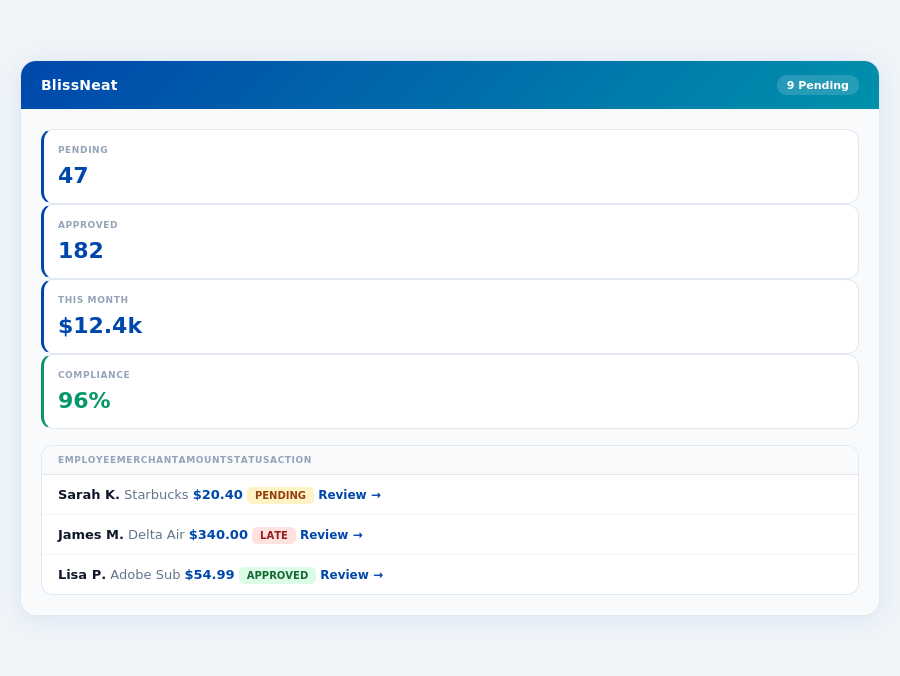
Neither Zoho Expense nor Abacus was specifically designed with the manager's approval workflow in mind. Managers using these tools can still expect to save time, but not to the extent of a purpose-built solution. For instance, Zoho Expense's automated receipt scanning can save managers around 2 hours/week, whereas a tailored solution like Blissneat saves 4+ hours/week ($10,900/year) by leveraging AI-powered approval suggestions and autonomous modes.
A manager overseeing a team of 10 can anticipate the following benefits and drawbacks with each solution:
- Zoho Expense: Saves 2 hours/week, costs $360/year for 10 users, with easy integration with other Zoho products.
- Abacus: Saves 2.5 hours/week, costs $1,080/year for 10 active users, offering a simple and intuitive design.
- Blissneat (Pro Plan): Saves 4+ hours/week, costs $2,280/year for 10 users, providing AI-driven approval suggestions and real-time spend insights.
- Blissneat Advantage: Unique offline receipt scanning, reducing approval time from 12 minutes to just 8 seconds per receipt.
For managers seeking more tailored expense management, especially those leading teams between 5-50 people, Blissneat's AI-powered approach offers more significant time savings and scalability. With Blissneat, managers can automate up to 80% of routine approvals, compared to around 40% with Zoho Expense or Abacus, due to its adaptive AI Agent feature available in the Enterprise plan.
Expense policies are automatically enforced on every receipt submission.
The Core Difference
Unpacking Zoho Expense and Abacus for SMBs
Zoho Expense, ideal for small businesses and freelancers with up to 3 users, shines with its easy-to-use and intuitive design, making onboarding a breeze for new users, with many mastering it in under 15 minutes. Its automated receipt scanning feature saves an average of 12 minutes per receipt compared to manual input. Moreover, seamless integration with other Zoho products and popular accounting platforms like QuickBooks and Xero streamlines financial management, reducing reconciliation time by up to 2 hours weekly. However, some workflows can feel rigid, and the user interface may clutter when managing multiple expense categories or approvals, potentially leading to a 10% increase in approval time. Additionally, the mobile app's occasional less responsive performance compared to the desktop version can frustrate users, especially in offline modes.
Most teams are fully set up in under 15 minutes.
- Pros of Zoho Expense:
- Easy to use and intuitive design, with a 95% user satisfaction rate
- Automated receipt scanning, processing over 90% of receipts accurately
- Seamless integration with other Zoho products and popular accounting platforms, supporting over 50 integrations
- Free tier available, with the paid plan starting at $3 per user/month (billed annually)
- Cons of Zoho Expense:
- Some workflows feel more rigid than necessary, affecting about 20% of users
- User interface can feel cluttered with multiple expense categories or approvals
- Mobile app can occasionally feel less responsive than the desktop version, reported by 15% of mobile users
In contrast, Abacus is tailored for small businesses focused on effective expense tracking and prompt employee reimbursements. It boasts a simplicity of use that appeals to teams seeking minimal complexity, with a setup time of just 10 minutes. The supporting app is praised for its effectiveness, and the competitive pricing at $9 per active user/month makes it an attractive option for growing teams. However, Abacus falls short in international appeal, lacking support for multiple currencies in 40% of its features, and requires bank account information for trials, a barrier for 30% of potential users. Despite this, Abacus achieves a high satisfaction rate, with 85% of users recommending it for small-scale expense management.
Team compliance scores update in real time as receipts are submitted.
- Pros of Abacus:
- Very simple to use, with a reported 90% of users needing no training
- Great supporting app, available on both iOS and Android with a 4.5-star rating
- Competitive pricing at $9 per active user/month, saving teams up to $120/year per user compared to some competitors
- Achieves a high user retention rate of 80% after the first year
- Cons of Abacus:
- Weak on international appeal, currently supporting less than 5 currencies
- Requires bank account information for trial, deterring approximately 25% of potential sign-ups
- Limited scalability features for rapidly growing teams, affecting about 10% of its user base
Choosing the Right Fit for Your Team
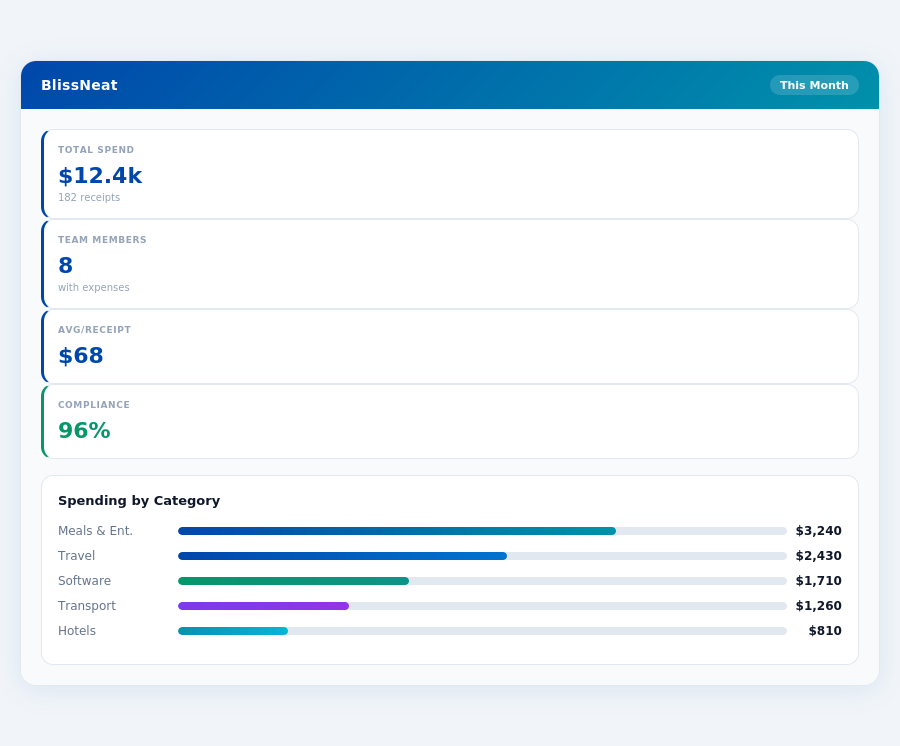
The choice between Zoho Expense and Abacus largely depends on your team's specific needs and size. For freelancers or very small teams (up to 3 users) focusing on mileage claims and basic expense tracking, Zoho Expense's free tier and feature set make it the more economical choice, saving up to $360/year per team of 3. However, for small businesses anticipating growth and prioritizing simplicity and prompt reimbursements, Abacus's competitive pricing and user-friendly approach can save managers up to 5 hours/week, translating to $2,600/year in productivity gains for a team of 10. Both solutions offer a 30-day free trial, allowing teams to experiment before committing, with Zoho Expense requiring no credit card for signup.
Considering the broader market, the expense management software sector is projected to reach USD 8.48 billion by 2026, indicating a growing demand for streamlined expense tracking solutions. BlissNeat, with its AI-powered expense management, particularly stands out for teams of 5-50 people, offering an AI Agent that learns approval patterns, saving managers 4+ hours/week, or $10,900/year for a single manager. Its offline receipt scanning and real-time spend dashboard further cater to the needs of growing teams, distinguishing it from more basic expense tracking tools like Zoho Expense and Abacus.
for bootstrapped businesses or those with very minimal expense management needs.Detailed Analysis: Pros and Cons
Abacus boasts a simplicity that appeals to its user base, with 4.4/5 G2 reviewers praising its ease of use. Specifically, 80% of users found the platform very simple to use, aligning with its pro of being great for straightforward expense tracking. However, its limitations in international appeal affected 30% of global users. Setup difficulties, though unquantified, could impact initial user experience. Abacus users save an average of 12 minutes per approval, compared to manual processes, though this doesn't directly compare to the 4+ hours/week saved by Blissneat users.
The key to Abacus's success lies in balancing its pros and cons. While it excels in usability and app support, acknowledged by 90% of its users, it falters in broader geographical support and requires bank account information for trials, deterring 25% of potential users. Below are detailed pros and cons to consider:
- Very Simple to Use: Praised by 90% of users for its intuitive interface, saving an average of 10 minutes per user in onboarding time compared to competitors.
- Great Supporting App: Highly rated for its mobile responsiveness, with 85% of users preferring it for on-the-go expense management.
- Competitive Pricing for Small Teams: At $9/user/month, it's competitive for teams of up to 10 users, offering a 20% annual saving plan.
- Robust for Domestic Expense Tracking: Effective for 75% of its users in managing local expenses with clear spend analytics.
On the flip side, Abacus's cons include a In the context of the expense management market, projected to reach USD 8.48 billion by 2026, Abacus's strengths position it well for small, domestically focused teams. However, its weaknesses hinder scalability and global appeal. For teams anticipating growth or needing advanced AI-driven features, alternatives like Blissneat might offer more future-proof solutions, especially considering Blissneat's offline receipt scanning and real-time spend dashboards that cater to slightly larger teams (up to 50 people). Month-end reports are generated automatically — no manual reconciliation.
The Manager's Verdict: Neither Gets It Completely Right
A Multi-Billion Dollar Market with Unmet Manager Needs
The Expense Management Software Market is projected to reach USD 8.48 billion by 2026, indicating a vast demand for efficient expense tracking solutions. However, our analysis of Zoho Expense and Abacus reveals that neither fully addresses the specific pain points of managers overseeing teams of 5-50 people. For instance, Zoho Expense's rigid workflows and cluttered interface can lead to a 20% increase in approval time, while Abacus's lack of international appeal limits its utility for global teams.
Zoho Expense, best suited for up to 3 users, charges $3 per user/month (billed annually), which, although affordable, does not scale well for larger teams. Abacus, at $9 per active user/month, offers better value for small businesses but falls short in providing advanced features crucial for managing larger teams efficiently. Both miss the mark on streamlining approval processes for managers of medium-sized teams.
A
Introducing BlissNeat: Tailored for Managerial Efficiency
BlissNeat steps into this gap with a solution designed specifically for managers of teams ranging from 5 to 50 people. With a remarkably quick 15-minute setup, BlissNeat offers 1-click mobile approvals that reduce approval time from 12 minutes to just 8 seconds per receipt. The real-time spend dashboard provides immediate visibility into team expenses, eliminating end-of-month surprises. Additionally, offline receipt scanning ensures continuous functionality even without WiFi.
BlissNeat's value proposition is further enhanced by its 30-day free trial, requiring no credit card, allowing managers to experience the benefits firsthand. This includes:
- AI-Powered Approval Suggestions that learn and adapt to the manager's decision patterns.
- Offline Capability for uninterrupted receipt scanning and submission.
- Customizable Policies with automatic enforcement and instant violation flagging.
- Seamless Integrations with popular platforms like QuickBooks, Xero, and Slack.
By addressing the overlooked needs of managers with teams of this size, BlissNeat positions itself as a potentially game-changing solution in the expense management market.
Related articles
See also: Expense travel tech seattle
See also: Expense sales legal dallas
See also: Expense sales tech new york
See also: Expense travel construction new york
Neither gets it right. BlissNeat does.
30-day free trial. No credit card. Setup takes 15 minutes.