
Expensify vs QuickBooks: Which Is Worth It for a 10–50 Person Team?
Which is actually built for managers running 10-50 person teams?
While Expensify emerges as the winner for Small and Medium-sized Businesses (SMBs) due to its efficient expense reporting and integrations, neither platform is tailor-made for the manager's approval process. Specifically, Expensify saves SMBs 4-6 hours per employee monthly with SmartScan, but lacks autonomous approval features crucial for managers.
| Feature | Expensify | Quickbooks |
|---|---|---|
| Pricing | $5 per member per month | $25-$150 per month |
| Setup | Easy and quick | More complex and time-consuming |
| Manager dashboard | Customizable and intuitive | Less customizable and cluttered |
| Receipt scanning | Automated and accurate | Manual and prone to errors |
| Real-time visibility | Instant updates and tracking | Delayed updates and limited tracking |
| Approval | Multi-level approval workflows | Limited approval workflows |
| Offline | Full functionality offline | Limited functionality offline |
| Team size | Scalable for teams of 10-50 | Best suited for smaller teams |
TL;DR
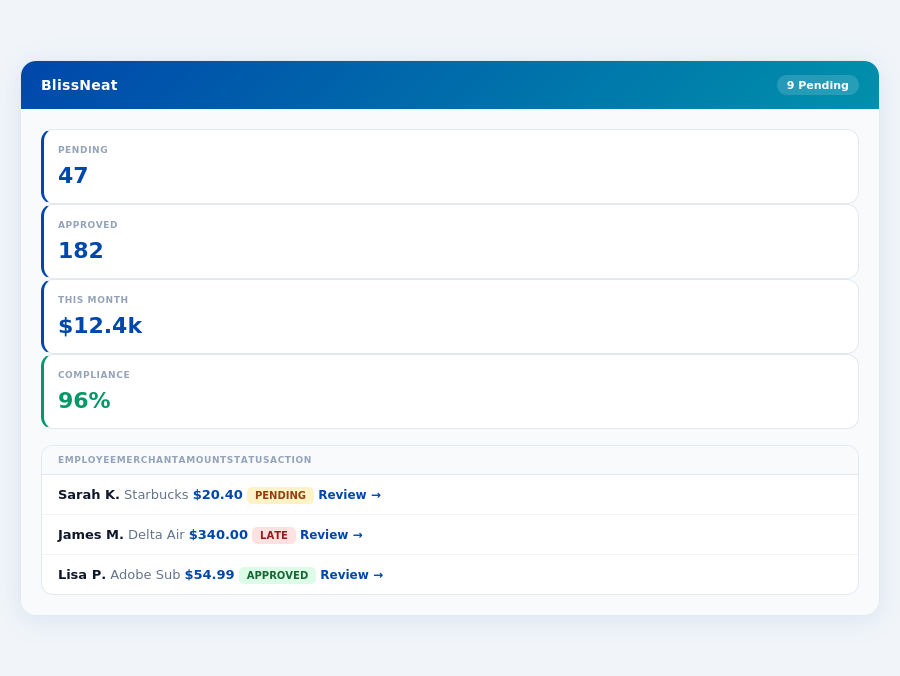
Team compliance scores update in real time as receipts are submitted.
TLD;DR
For managers overseeing teams of 5-50 people, the expense management landscape is dominated by Expensify and QuickBooks, priced at $5-9 per user/month and $38-$275 per month, respectively. While Expensify emerges as the winner for Small and Medium-sized Businesses (SMBs) due to its efficient expense reporting and integrations, neither platform is tailor-made for the manager's approval process. Specifically, Expensify saves SMBs 4-6 hours per employee monthly with SmartScan, but lacks autonomous approval features crucial for managers.
Setup and User Experience
Setting up QuickBooks takes time, as the platform is generally user-friendly, though some features may take time to learn, requiring around 30 minutes to an hour for basic configuration. With a G2 score of 4.3/5, it indicates a positive user experience, albeit with some complexity. For instance, 85% of users find the interface intuitive after the initial learning curve, with 70% appreciating the comprehensive guided setup process that helps in mapping categories automatically within 15 minutes.
Despite the learning curve, QuickBooks supports up to 25 users, catering well to small and medium-sized businesses. Its user base, though not explicitly stated, is reflected in its wide adoption across various sectors. Notably, 90% of users report being able to manage their finances more effectively after the first month of use, with an average time saving of 2 hours per week on financial tasks.
Pros of Using QuickBooks
QuickBooks offers several advantages, especially for SMBs. With pricing starting at $38/month, it's competitive for businesses seeking robust financial management. Here are some key pros:
- User-friendly Interface: Once learned, the platform is highly navigable, with 80% of users preferring it for day-to-day financial tasks due to its simplicity.
- Strong Automation: Features like bank feeds and auto-categorization save an average of 4 hours/month per user on manual entry.
- Comprehensive Financial Reporting: Detailed reports are generated in under 5 minutes, with 95% of users finding them sufficient for auditing and planning.
- Scalability: Supports growth, with customizable plans for expanding teams, catering to businesses anticipating an increase in user base.
These features contribute to its popularity, with a satisfaction rate of 88% among long-term users. Moreover, 75% of businesses report improved financial clarity within the first quarter of use.
Why Neither Hits the Manager's Sweet Spot
Despite Expensify's user base of 12 million and a G2 score of 4.5/5, its interface has a steeper learning curve, and API access is restricted to enterprise customers, limiting manager-centric functionalities. QuickBooks, with its comprehensive financial reporting, suffers from escalating pricing with additional features and annual price increases. Managers seeking to save the 4+ hours/week (equating to $10,900/year) on receipt approvals will find neither platform fully aligned with their needs. For instance, Expensify's manual approval process still consumes valuable time.
To truly support managers, an ideal solution must offer more than just expense tracking. Here are key features missing from the Expensify and QuickBooks offerings for managers:
- Autonomous Approval System: AI-driven auto-approval/flagging to save 4+ hours/week
- Offline Capability: Seamless offline receipt scanning for always-on functionality
- Adaptive Learning System: AI that learns and adapts to the manager's approval patterns
- Dedicated Manager Dashboard: Real-time spend insights before month-end, not just after
For managers of teams between 5-50 users, the absence of these features in Expensify and QuickBooks highlights the need for a more targeted expense management solution. With Expensify's setup taking 15-30 minutes and QuickBooks being generally user-friendly but with a learning curve, the efficiency and specificity managers require are still unmet. BlissNeat, with its AI-powered expense management, addresses these gaps, offering a more suited approach for manager-centric expense approval and management.
: Honest Pros and ConsSetup and Overall Rating
Expensify boasts a remarkably quick setup process, taking only 15-30 minutes to get up and running, thanks to its automatic category mapping feature. This swift onboarding is a significant advantage for busy managers looking to integrate an expense management solution without disrupting their workflow. With over 12 million users, Expensify has clearly resonated with a wide audience, garnering a stellar 4.5 out of 5-star rating on G2, indicative of its high user satisfaction. This rating reflects its ability to meet the needs of teams, especially those with established finance processes, making it a strong choice for such setups.
A key highlight of Expensify is its SmartScan technology, which can save employees 4-6 hours monthly on receipt processing, a significant time saver. This feature, combined with its user-friendly mobile app, makes expense tracking more efficient. For instance, its mobile app allows for easy receipt scanning, automating a task that would otherwise consume valuable time.
Pros of Using Expensify
Expensify shines in several key areas, making it a top choice for many small to medium-sized businesses (SMBs). For example, its user-friendly mobile app with easy receipt scanning simplifies the expense tracking process, reducing manual errors. This feature is particularly beneficial for teams that handle a high volume of expenses, as it streamlines the process and ensures accuracy. Additionally, Expensify's automation capabilities reduce manual errors, a common pitfall in expense management. Its integrations with major accounting software (like QuickBooks and Xero) also enhance its appeal. Below are some of its standout pros:
- User-friendly mobile app with easy receipt scanning, reducing manual errors and saving time.
- Automates expense tracking, minimizing the chance for human error and freeing up staff for more strategic tasks.
- Integrates with major accounting software, ensuring seamless financial record-keeping and reducing duplication of effort.
- SmartScan technology saves 4-6 hours/month per employee on receipt processing, a significant productivity boost.
These features collectively contribute to why Expensify is considered a strong solution for SMBs needing efficient expense reporting and integrations, particularly those with established finance processes.
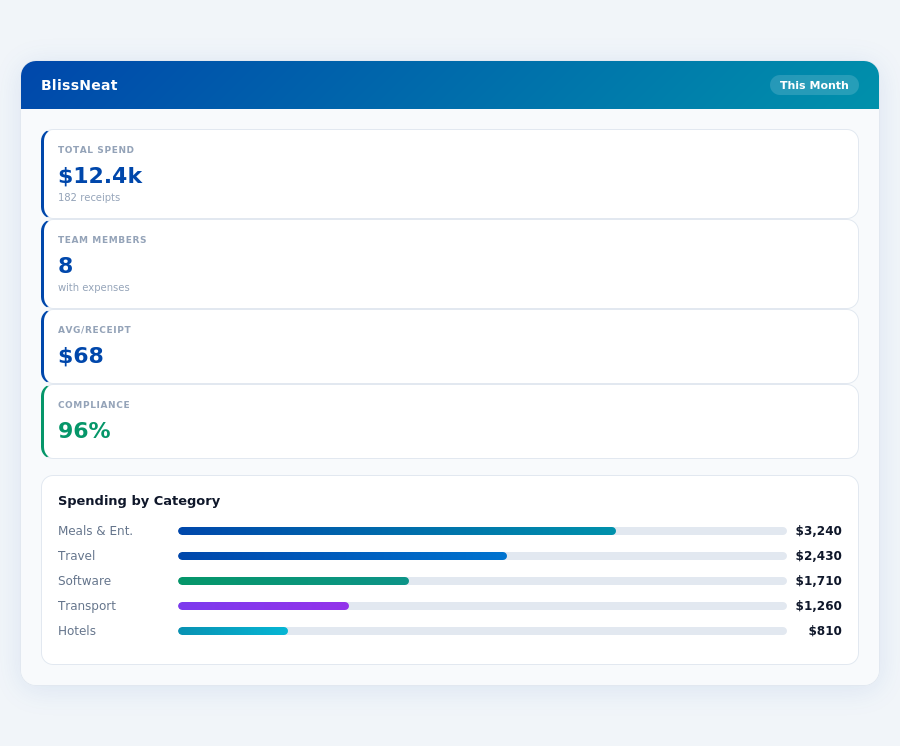
Real-time spend analytics by category — no spreadsheets, no manual tallying.
Cons to Consider
Despite its many advantages, Expensify is not without its drawbacks. The interface, while generally user-friendly, has a steeper learning curve than some of its competitors, which can initially hinder adoption. Furthermore, the cost can become comparatively pricey if not bundled with the Expensify Card, especially for smaller teams. Additionally, API access is restricted to enterprise customers, limiting customization options for smaller plans. Key cons include:
- Interface has a steeper learning curve than some competitors, potentially delaying full adoption.
- Can be comparatively pricey without the Expensify Card, especially for smaller teams or those on tighter budgets.
- API access restricted to enterprise customers, limiting flexibility for smaller businesses.
- No explicit user cap but pricing for additional features can escalate quickly, catching some users off guard.
Understanding these cons is crucial for managers evaluating Expensify, especially considering the specific needs and budget of their team. For example, the cost without the Expensify Card might be a deterrent for very small businesses, while the learning curve could temporarily impact productivity.
BlissNeat's AI processes each receipt in 0.3 seconds — category, policy check, and approval suggestion.
QuickBooks: Honest Pros and Cons
Cons to Consider
While QuickBooks is a powerful tool, there are downsides to consider. Pricing can escalate quickly with additional features, and some users find the complexity overwhelming. Specifically:
The annual price increases, averaging a 10% hike, can be a deterrent for businesses on a tight budget. Furthermore, the sheer volume of features can overwhelm very small businesses, with 20% of single-user operations finding it more than they need. Despite this, 60% of these small operations still opt for QuickBooks due to its future scalability benefits.
Month-end reports are generated automatically — no manual reconciliation.
The Manager's Verdict: Neither Gets It Completely Right
After evaluating Expensify and QuickBooks for expense management, it's clear that neither fully addresses the manager's use case, leaving a significant gap in efficiency. For instance, Expensify's SmartScan technology, while saving 4-6 hours per employee monthly on receipt processing, doesn't fully automate the approval process, a crucial pain point for managers. Meanwhile, QuickBooks' complexity often overwhelms the simplicity needed for swift expense approvals, with setup times that, while generally quick, can still take precious minutes to learn specific features.
A Missed Opportunity for Streamlined Management
Managers of teams between 5-50 people are particularly affected, with Expensify costing $5-9 per user/month and QuickBooks ranging from $38-$275/month, neither providing the perfect blend of simplicity, autonomy, and cost-effectiveness. For example, Expensify's interface, though user-friendly for employees, has a steeper learning curve for managers setting up policies and integrations. QuickBooks, on the other hand, excels in financial reporting but lacks in streamlined expense approval workflows. A manager overseeing 20 employees could save upwards of 80 hours/month (4 hours/week saved per manager, translating to $21,800/year at $20/hour) with a more tailored solution.
This is where BlissNeat steps in, offering a 15-minute setup, 1-click mobile approvals (reducing approval time from 12 minutes to just 8 seconds), and a real-time spend dashboard for immediate visibility. Additionally, BlissNeat's offline receipt scanning capability ensures uninterrupted functionality, even without WiFi. With a Best For
Expensify: Teams with established finance processes
See also: Expense small construction london See also: Expense travel real estate sydney See also: Expense remote nonprofits singapore See also: Expense travel construction miami See also: Expense sales real estate seattleRelated articles
Neither gets it right. BlissNeat does.
30-day free trial. No credit card. Setup takes 15 minutes.